How a session works.
You open the studio on your computer. Your artist opens your link on theirs or on their phone. This is what happens in between, with screenshots of the real app.
1. You send a link
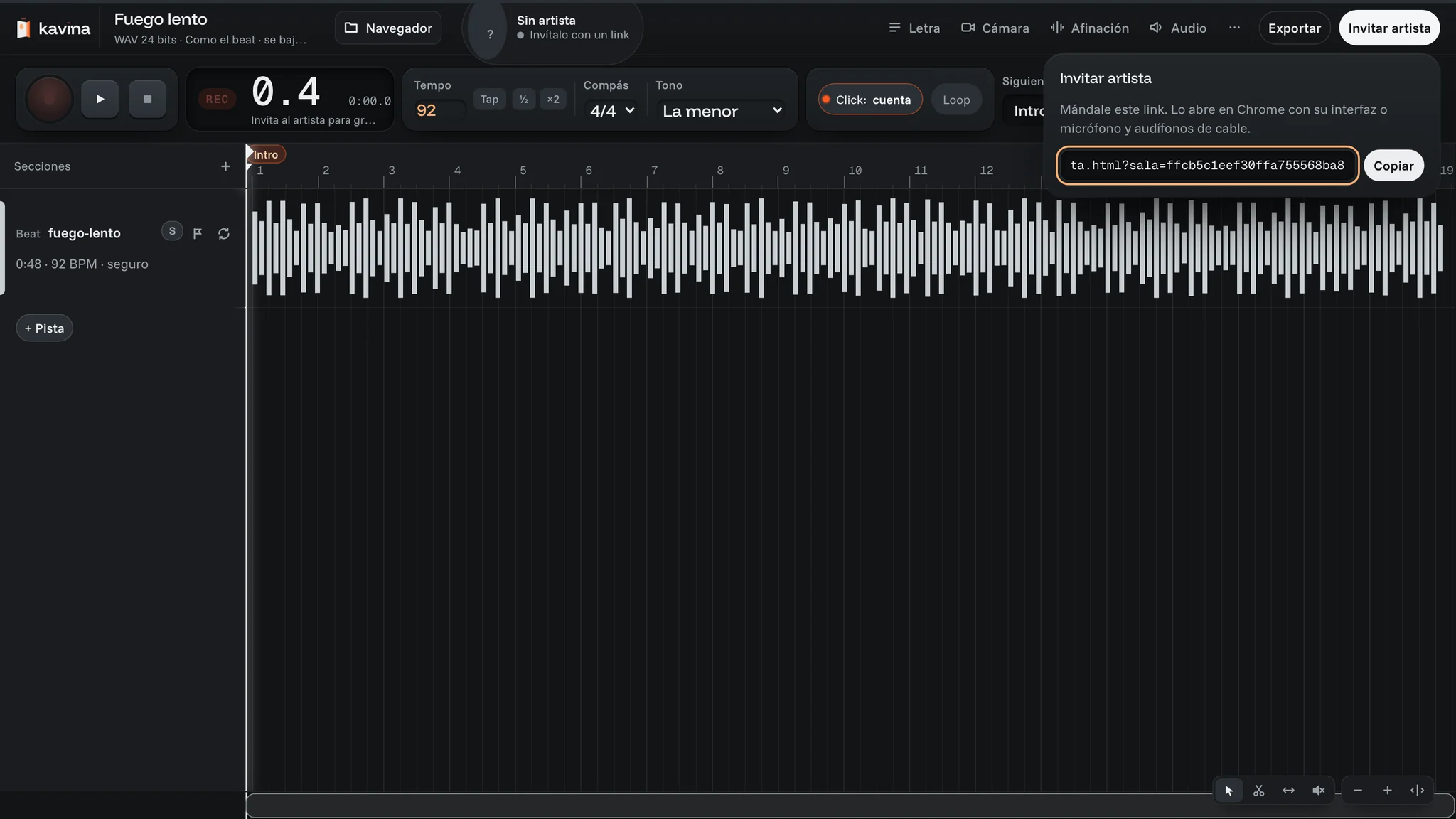
Load your beat and click “Invitar artista” (invite artist). Copy the link and send it however you usually talk. They don’t install anything or make an account.
2. Your artist opens the link
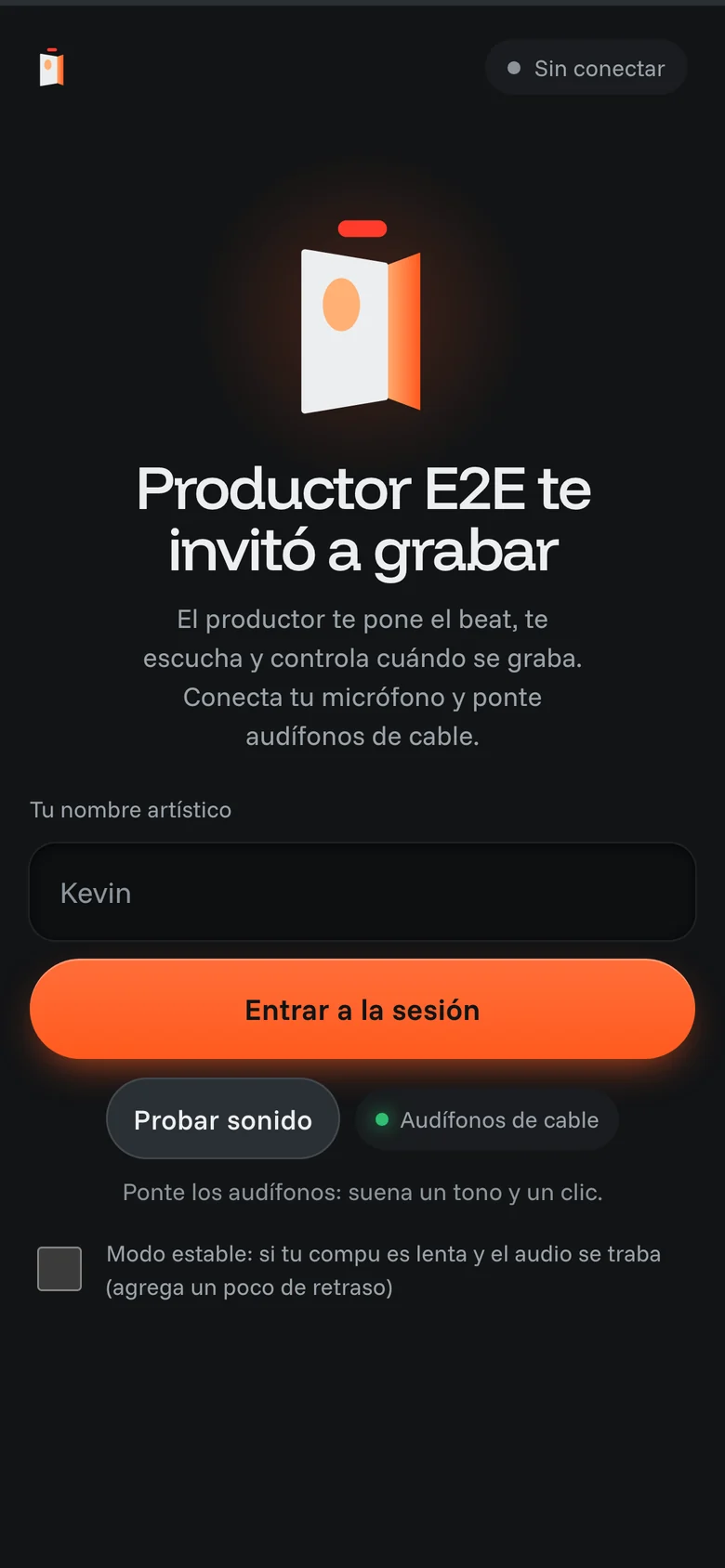
They open it in Chrome, on their computer or phone, with wired headphones. They type their name and ask to come in.
3. You let them in
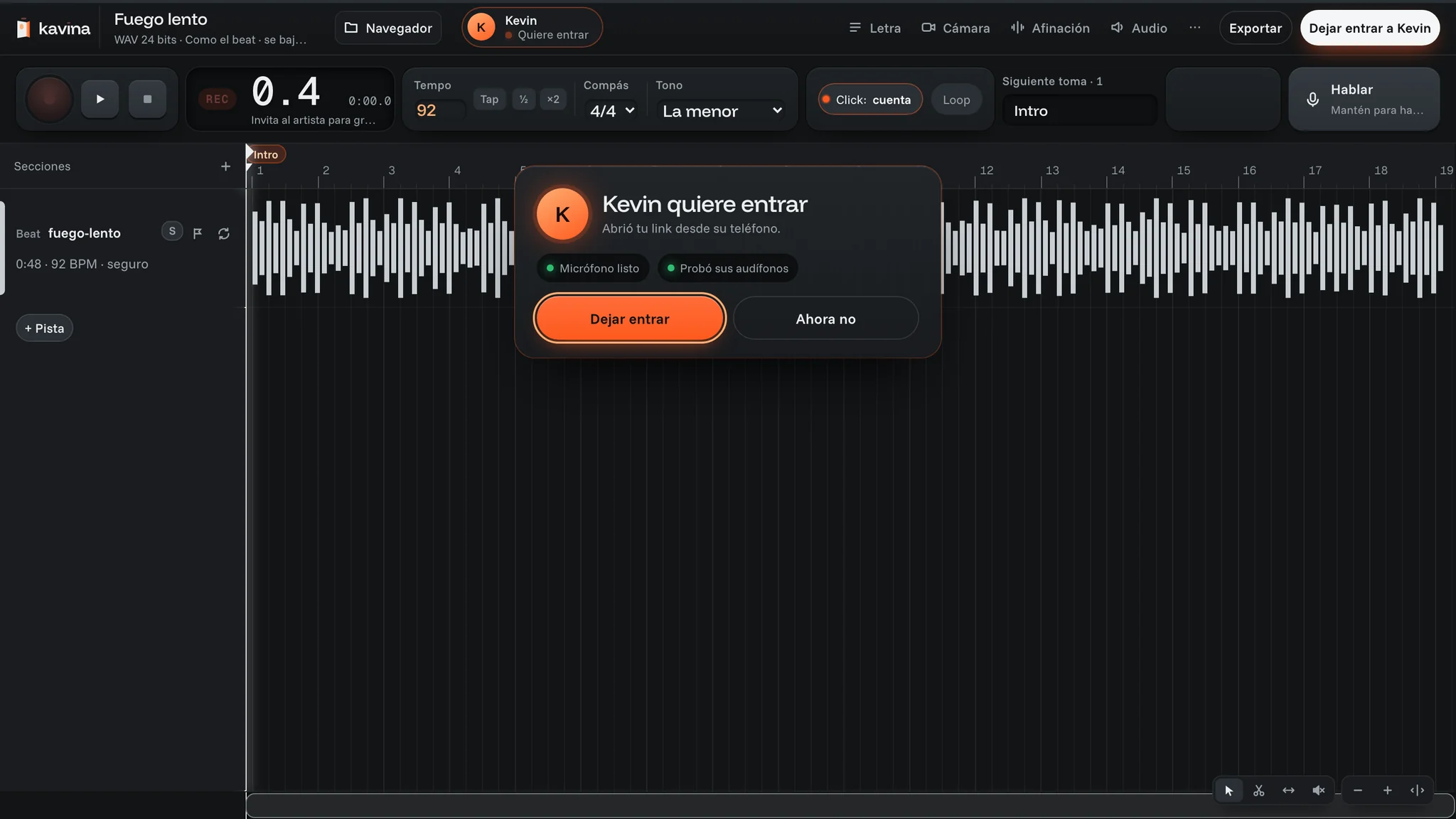
You see “Kevin quiere entrar” (Kevin wants in). Until you click “Dejar entrar” (let in), they get nothing from your session.
4. You record
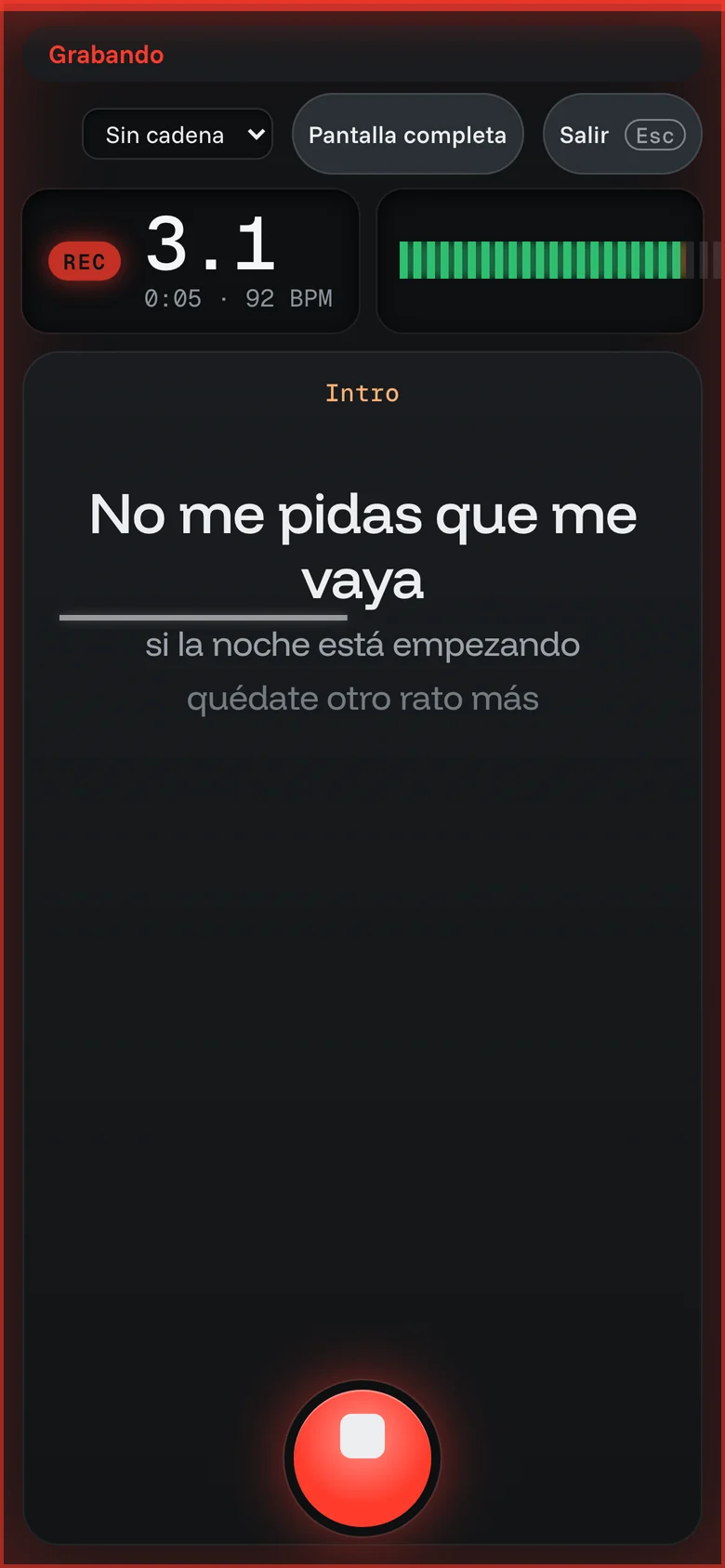
Hit record (or R). The count-in plays, your beat reaches their headphones and the take records on their computer at 24 bits. When they stop, the full take comes to you over the internet.
While they sing, you watch their level and the take growing in your Playlist.
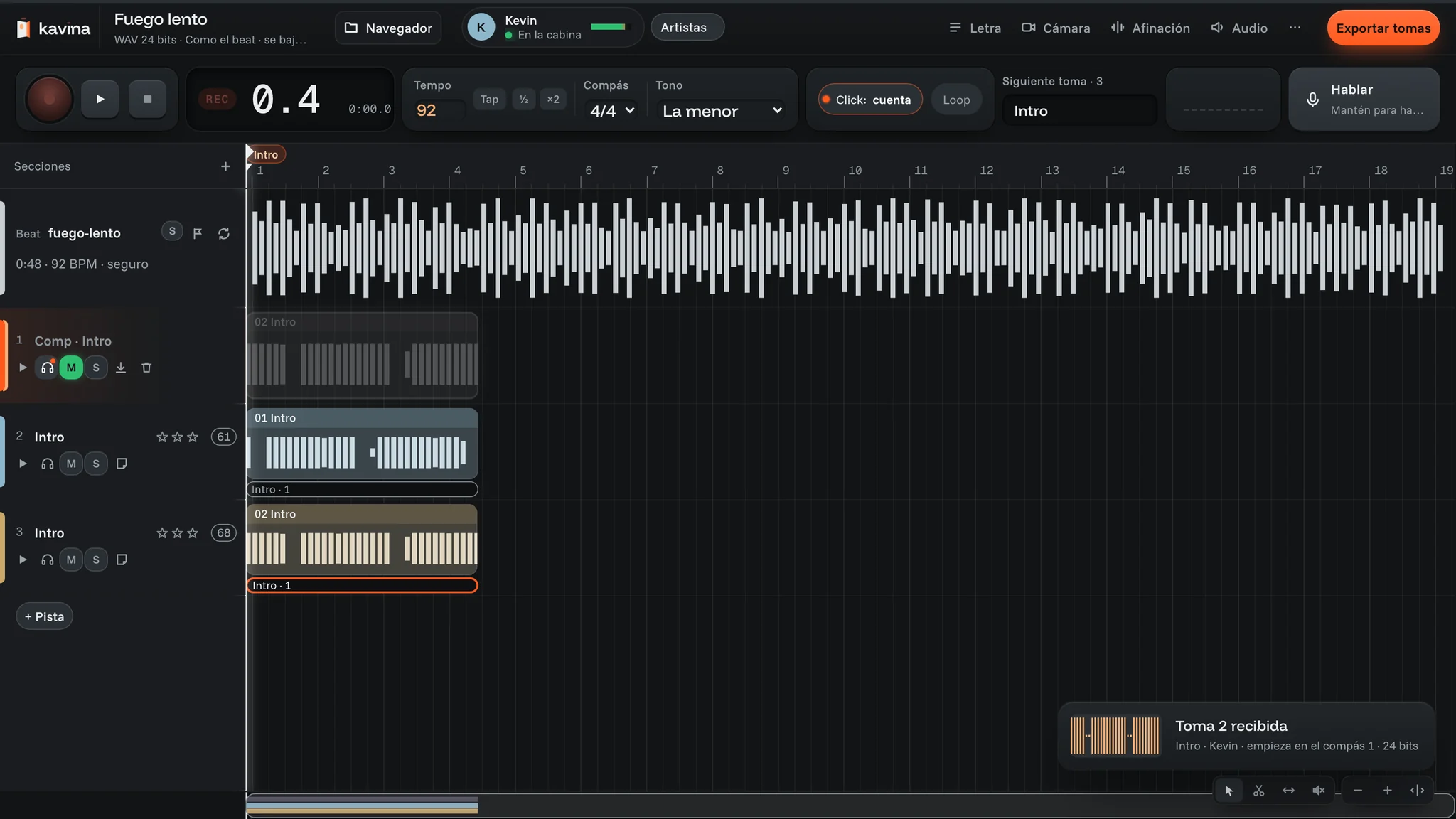
5. Every take starts on bar 1
When they finish, the full take arrives and lands right where it was recorded. Every take starts at 0:00, so it drops into your DAW in place. Rate them and comp the best one from pieces of several.
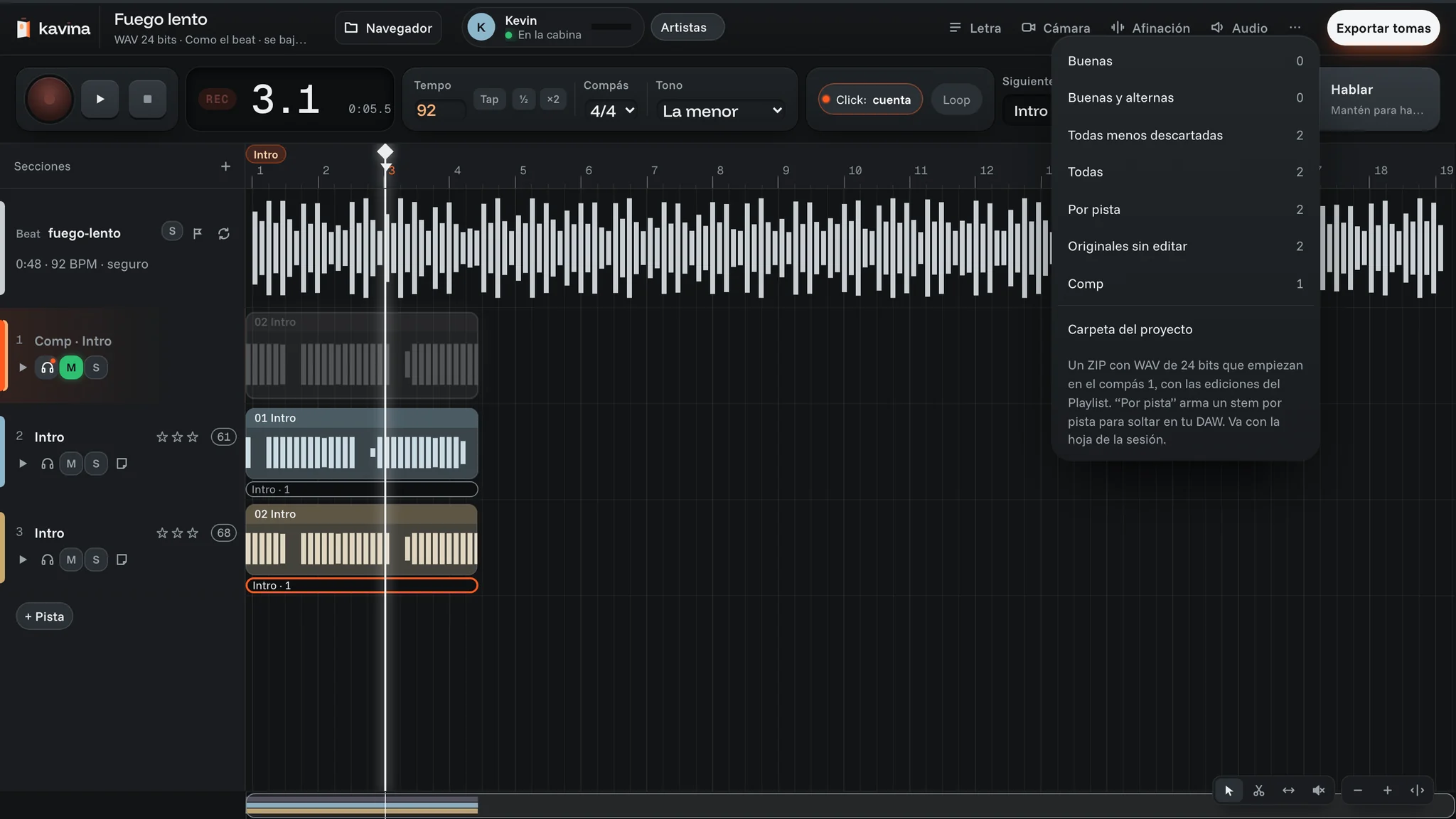
6. Export for your DAW
Download the 24-bit WAVs you want: the good ones, all of them, per track or the unedited originals. If you connect your project folder, every take is written there on its own.
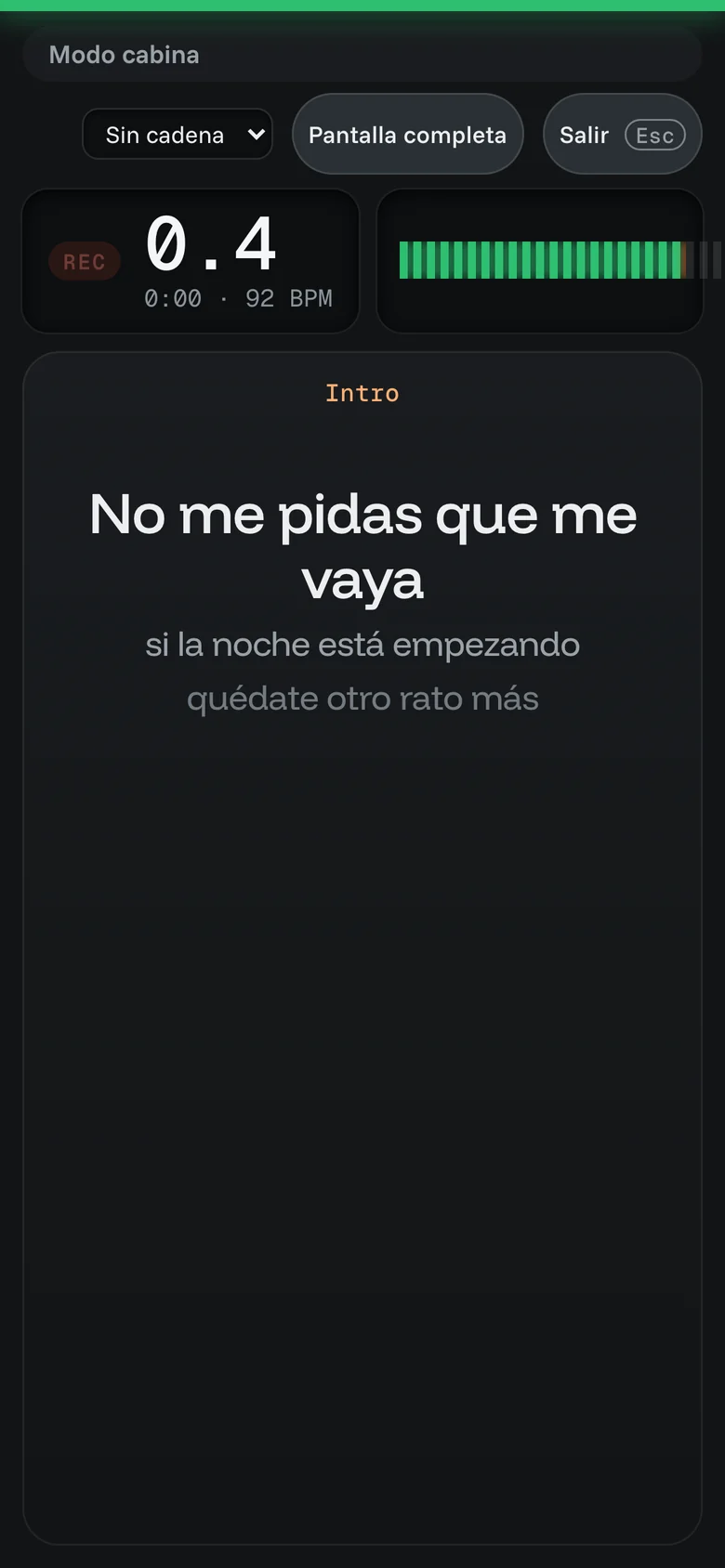
7. Lyrics on their screen
Type the lyrics by section and they follow them in booth mode, line by line, while the beat plays.
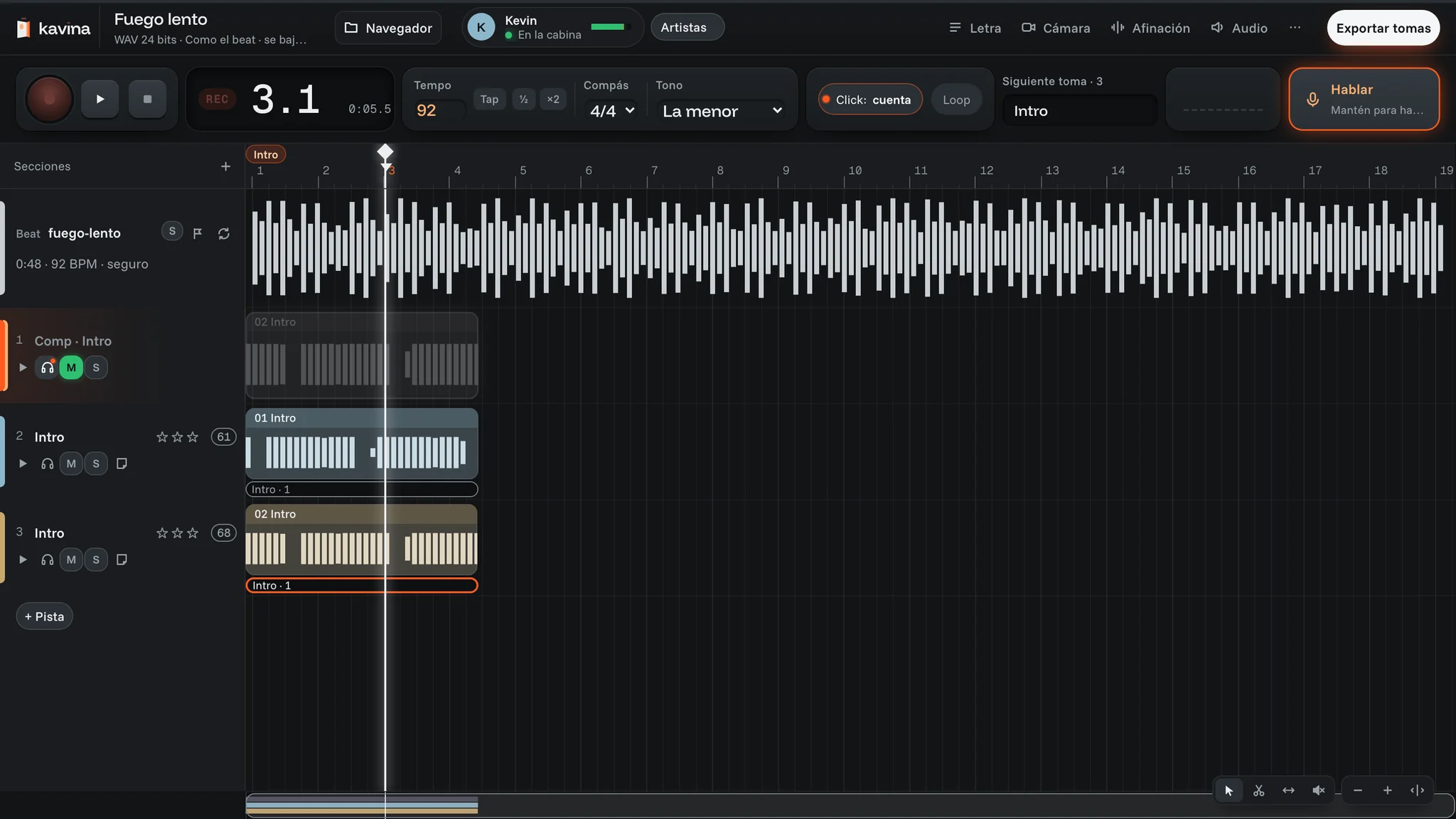
8. Talk without stopping the session
Hold “Hablar” (talk), or Y, and they hear you in their headphones. Their beat dips while you talk.
Questions
Does the take lose quality?
No. It records on your artist’s computer at 24 bits and you get the full file. The internet doesn’t compress it: what you hear live during the session is only for listening.
What if my artist’s internet is bad?
The take still records on their computer. If the connection drops, it’s kept there and sent on its own when it comes back, from where it left off. What can stutter is what you hear live, not the take.
Which browser does it work in?
Chrome, on a computer or a phone. You open it on your computer; your artist, on theirs or on their phone.
Is my session private?
Only people with your link that you let in can join. The audio is encrypted between the two computers and Kavina doesn’t store it.
What does my artist need?
Chrome, wired headphones and their mic or interface. No account and nothing to install.
Your next session is a link.
Are you the artist? You don’t need an account. Open the link your producer sent you.